
CRM Data Enrichment for Salesforce, HubSpot and Dynamics 365
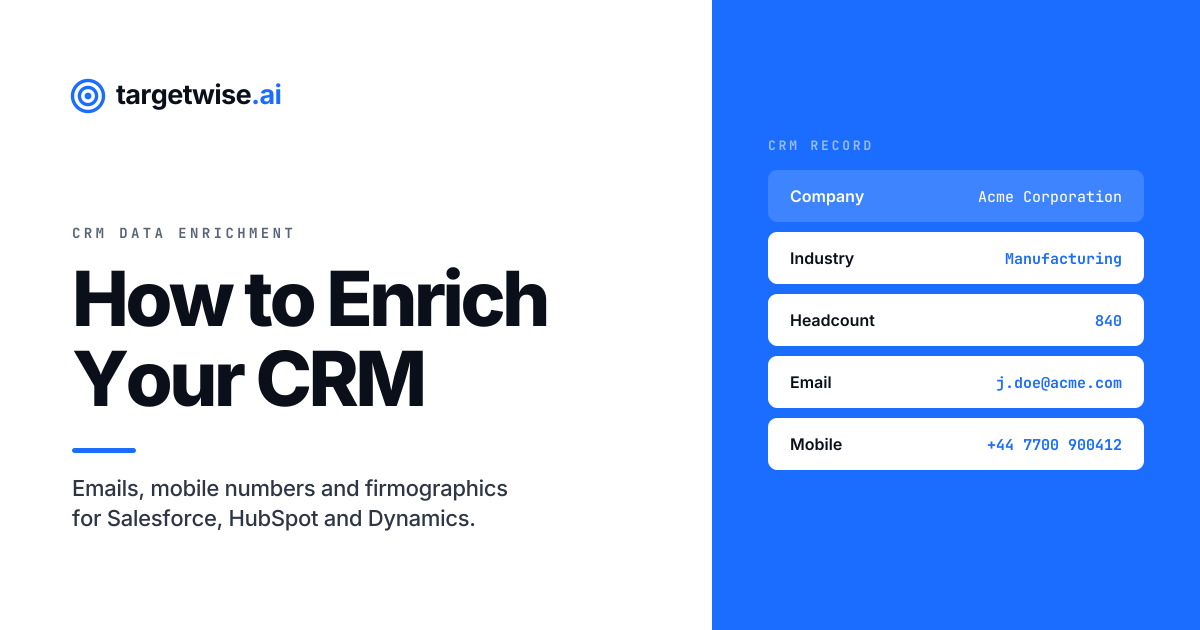
CRM enrichment fills the gaps in records you already own: the missing email, the missing mobile number, the missing industry and headcount that your routing rules and segments depend on.
What you get back depends entirely on what you start with. A website URL, a company name or a LinkedIn company URL identifies an account, returns firmographics, and lets you then choose which job titles you want contact details for. A LinkedIn profile URL identifies one person, and returns that person's verified business email and mobile number.
For implementation, see the reverse email lookup API and its supported inputs.
For implementation, see the company enrichment API and its supported inputs.
Salesforce, HubSpot and Dynamics 365 all ship some form of native enrichment. All three are firmographic-first, and none of them source net-new verified mobile numbers. That gap is the reason you add a provider.
Nobody notices a CRM decaying. That is the whole problem.
A bounced email produces a notification. A missing industry field produces nothing at all. The record simply fails to match a segment, drops out of a routing rule, scores low because half the inputs are null, and sits in a list nobody works. There is no error, no alert, and no obvious moment where something went wrong. By the time anyone investigates, the usual conclusion is that the campaign underperformed or the territory is weak.
This guide covers what to enrich, how to start from whichever identifier you happen to have, and how to enrich CRM data in practice inside the three platforms most B2B teams run on: Salesforce, HubSpot and Microsoft Dynamics 365.
The three data types that matter, and what each one is for
Enrichment is not one thing. It is three distinct jobs, with different sources, different match rates and different economics. Confusing them is how teams end up buying the wrong product.
| Data type | Examples | What it powers | Availability |
|---|---|---|---|
| Firmographics | Industry, headcount, revenue band, country, domain | Segmentation, routing, scoring, territory assignment | Widest. Company data is comparatively public |
| Business email | Verified work address | Sequencing, marketing automation, deliverability | Good. Semi-public and pattern-bearing |
| Mobile number | Personal handset, not the switchboard | Calling motion, connect rate, multichannel | Narrowest. Never published, no inferable pattern |
The availability column is the one people skip, and it is the one that determines whether a project succeeds. Firmographic coverage on a normal B2B list will comfortably exceed contact-level coverage, and email coverage will exceed mobile coverage, in every market. Any plan that assumes equal fill rates across all three will miss its numbers.
It also explains a pattern in how the CRMs themselves have built. Native enrichment across Salesforce, HubSpot and Dynamics leans firmographic, because firmographic data is the cheapest to source and the easiest to keep current. The fields that actually let a rep make contact are the ones left empty.
Start from what you already have
Most enrichment guides assume you are holding a clean list of names and companies. Real CRMs are messier than that. You have a form fill with nothing but a work email domain. You have an account record with a company name and no website. You have a list of profile URLs a rep pasted into a spreadsheet. You have a target account list with no people attached to it at all.
The useful question is not "how do I enrich my CRM" but "what is the strongest identifier on this record, and what can that identifier reach?" There are two answers, and they lead to two genuinely different motions.

Mode A: you know the account, not the people
Three identifiers get you here, and they are interchangeable in what they unlock:
- Website URL. The strongest of the three. A domain is unambiguous, and it is usually already sitting on the record because it came in with the form fill.
- Company name. The weakest, because names are ambiguous. Trading names differ from registered entities, dozens of companies share a name across jurisdictions, and abbreviations multiply. It works, but expect more failed matches than the other two.
- LinkedIn company URL. Unambiguous like a domain, and often what you have when the account came from prospecting rather than inbound.
Any of these returns the firmographic picture: industry, headcount, revenue band, location, domain. That alone fixes routing and scoring for the account.
The second step is what makes this mode powerful. Once the company is resolved, you select the job titles you want. Head of Finance, VP Operations, whatever your buying committee looks like. The enrichment returns the people holding those titles at that company, with verified email and mobile attached.
That turns a target account list into a working contact list without anyone opening a browser.
It is also the motion that native CRM enrichment structurally cannot perform. Every built-in enrichment tool across the three platforms is a record-completion layer: it fills gaps on records that already exist. Hand it a list of company names with no people attached and it has nothing to complete, because the people are not in the CRM yet. Completion improves what you have. Discovery creates what you do not. Only one of those grows a pipeline, and it is the one you have to go outside the CRM for.
Getting job titles right
Title selection is where Mode A succeeds or produces noise, and the reason is that titles do not mean the same thing at different company sizes. A Head of Finance at a forty-person business is the economic buyer. The same title at a four-thousand-person business is three levels below the person who signs. Selecting on the title string alone will hand you two very different people and treat them identically.
Two habits fix most of it. Target on seniority band alongside function rather than on an exact string, so that VP, Director and Head of variations of the same role all come back rather than only the phrasing you happened to type. And let the firmographics you just retrieved inform the title you ask for, since headcount is the variable that tells you how far down the hierarchy the real buyer sits.
This is also a known soft spot in native CRM enrichment, where seniority frequently comes back unknown even when the job title populates. A title without a seniority band is hard to segment on and harder to route on.
Mode B: you know the person, not how to reach them
When the record already identifies an individual through a LinkedIn profile URL, you do not need discovery. You need completion: the email address, the mobile number, or both.
A profile URL is the strongest person-level identifier you can hold short of an email address you already have, because it maps to exactly one human being. A name-and-company pair does not. There may be three people with that name at that company, the company may trade under a different name than the one on the record, and the person may have moved on last quarter. Every one of those is a chance for the match to be confidently wrong.
We go further into that in our guide to what match rate to expect from a contact enrichment API.
Choose the fields, not the bundle
In both modes, email and mobile are priced and matched separately. Requesting both when your sequence only sends email roughly doubles the per-record cost for a field nobody will open. On twenty thousand records that is a real number, and it is avoidable by specifying fields at request time rather than defaulting to everything.
A sensible default: email at the point of capture, mobile only when a record reaches a stage where somebody is going to dial it.
Where the data has to land
Enrichment that returns perfect data and writes it to the wrong place has achieved nothing. Every CRM has its own object model, its own automation layer and its own way of rejecting values it does not like.
| Platform | Where data lands | Automation | Watch out for |
|---|---|---|---|
| Salesforce | LeadContactAccount | Record-Triggered Flow | Picklists silently reject values not already defined |
| HubSpot | ContactCompany | Workflows | The contact-to-company association must exist first |
| Dynamics 365 | leadcontactaccount | Power Automate | Custom columns carry a publisher prefix and vary by org |
Common to all three: native enrichment is firmographic-first. None of them source net-new verified mobile numbers. That gap is why you add a provider.
Enriching Salesforce
Salesforce is the most configurable CRM on the market and, for that reason, frequently the one holding the worst data. Six-figure investments in licences and admin headcount sit on top of records where half the fields are blank. Salesforce data enrichment is consequently less a nice-to-have than a prerequisite for the automation you have already paid for.
Part of that is structural. Since Data.com was retired, Salesforce has had no native way to source net-new contact data. Data Cloud is a genuinely capable product, but it is built to unify and resolve data you already hold across systems, not to go and find an email address that exists nowhere in your estate. Those are different problems, and buying the former to solve the latter is a common and expensive mistake.
The object model
Enriched data lands on three objects, and the split matters:
- Lead. Pre-conversion. Holds both person and company fields on one record, which is convenient for enrichment and awkward for everything else.
- Contact. Post-conversion person record, related to an Account.
- Account. The company. Firmographics belong here, not duplicated onto every Contact.
A recurring design error is writing firmographics onto Contact records because that is where the enrichment ran. You then hold twelve copies of a headcount figure that will need updating twelve times. Write company data to the Account and let the relationship do the work.
The constraint that breaks writes
Salesforce picklist fields only accept values already defined in the picklist. Industry, Country and Lead Source are commonly picklists. If your provider returns Manufacturing and your picklist contains Industrial Manufacturing, the write fails or the value is silently rejected depending on how the integration is configured.
The fix is a mapping layer between the provider's taxonomy and yours, decided before you run anything at volume. It is tedious and it is the single most common cause of an enrichment project that appears to work in testing and produces empty fields in production.
Automating it
A Record-Triggered Flow on Lead or Contact creation is the standard pattern: record lands, Flow fires, provider is called, fields are written, routing rules then run against a complete record rather than an empty one. Order matters here. Enrichment has to complete before assignment logic evaluates, or you have routed on nulls.
Enriching HubSpot
HubSpot data enrichment is the easiest of the three to set up, and the one where the native option is most likely to be enough for part of the job and definitely not enough for the rest.
What Breeze Intelligence does and does not do
HubSpot's native enrichment is Breeze Intelligence, built substantially on Clearbit, which HubSpot acquired. It runs on a credit model where one credit typically enriches one record, credits are sold in packs, and the full feature set requires a paid HubSpot tier rather than the free CRM.
It is good at what it was built for. Firmographic enrichment on company records is strong, buyer intent and form shortening are genuinely useful, and it requires no configuration because it lives inside the platform.
Two limitations are worth knowing before you plan around it. It is firmographic-led rather than contact-led, and phone number sourcing in particular is not its strength, so teams running a calling motion generally end up adding a second tool for contact data. And credits reset monthly rather than rolling over, which means unused capacity is lost and enrichment volume has to be forecast rather than run opportunistically.
That second point is a planning constraint more than a cost one. If your enrichment volume is lumpy, and most are, you either over-buy for the peak or run out during it.
The object model
Contacts and Companies are separate objects joined by an association. Firmographics belong on the Company, contact details on the Contact. If the association does not exist, company-level enrichment has nowhere to land, so verify the association before running anything at scale rather than after.
Automating it
Workflows are the native trigger. A contact-based Workflow firing on creation, calling out to an enrichment provider through a webhook, then branching on whether a verified result came back, covers the majority of use cases. Build the branch for the no-match case at the same time as the happy path, because on any real list a meaningful share of records will not resolve.
Enriching Microsoft Dynamics 365
Dynamics is the CRM most enrichment vendors treat as an afterthought, which is odd given how much enterprise B2B runs on it. If you are on Dynamics you will find fewer turnkey integrations and more building, so it pays to understand the object model before you choose a provider.
Why Dynamics is genuinely harder
Salesforce and HubSpot orgs vary. Dynamics orgs vary more. Because Dataverse encourages deep customisation, enterprise deployments routinely add custom tables, custom columns and custom option sets, and custom columns carry a publisher prefix rather than a predictable name. A contact table in one organisation may look nothing like a contact table in another.
The practical consequence is that field mapping cannot be assumed from documentation. It has to be read from the environment. Dataverse exposes entity metadata through the Web API, so a robust integration discovers the schema at runtime rather than hardcoding field names that will be wrong in the next org.
What Microsoft ships natively
Dynamics 365 Sales includes an AI-powered data enrichment capability that surfaces suggestions to fill gaps on opportunity records, drawing on signals from emails, meetings and connected sources. It is useful and it is worth turning on.
It is also not a contact data product. It reasons over interactions you have already had. If nobody at your company has ever emailed the person, there is no signal to reason over, and the field stays empty. Net-new contact details still come from outside.
The agentic angle
Microsoft has been opening Dynamics 365 Sales to external intelligence through the Model Context Protocol, allowing data providers to feed enrichment and firmographics directly into sales agents inside the Microsoft environment. Several established data vendors were named among the early partners.
This matters strategically. It means enrichment inside Dynamics is moving from a batch job that runs on a schedule toward something an agent calls mid-task while it works a record. TargetWise exposes an MCP server for exactly this pattern, which we walk through in how to enrich contacts inside Claude, ChatGPT and Cursor.
Automating it
Power Automate is the native orchestration layer. A flow triggered on row creation in the lead or contact table, calling an enrichment endpoint and writing the response back to Dataverse, is the Dynamics equivalent of a Salesforce Flow or a HubSpot Workflow. The request and response shape is the same in all three cases, which we cover in our guide to enriching B2B contacts with a waterfall API.
One API, whichever CRM you run
Website, company name, LinkedIn company URL or profile URL in. Firmographics, verified emails and mobile numbers out. Charged only when a verified result is returned.
When to enrich
Almost every team builds enrichment on record creation, ships it, and considers the project done. Creation is the easiest trigger and the least sufficient one, because it does nothing for the hundred thousand records already sitting in the database.

The scheduled refresh is the trigger that separates a CRM that stays usable from one that quietly rots. It is also the one with the clearest cost control, because you choose the population rather than re-running everything.
A workable policy is to tier by how much the record matters. Records in active opportunities get re-verified most often, records in your defined target segment less often, and everything else on a long cycle or not at all. Re-verifying dormant records that nobody will contact is the fastest way to spend an enrichment budget on nothing.
Phone data deserves a shorter cycle than email, for a reason that is easy to miss: bad phone data fails silently. A dead email address bounces and tells you. A dead phone number rings out, and rings out again, and registers as a rep having a bad week rather than as a data problem. We covered how that plays out in B2B cold call connect rate in 2026.
The write policy nobody decides until it goes wrong
Before the first bulk run, one decision needs making, and it is more consequential than the choice of provider: what happens when enrichment returns a value for a field that already contains one?
There are three options and they are not equally safe.
| Policy | Behaviour | Risk |
|---|---|---|
| Fill blanks only | Writes only where the field is empty | Safest. Stale existing values are never corrected |
| Overwrite | Provider value always wins | Destroys rep-verified data. Hardest to detect after the fact |
| Write to shadow field | Lands in a parallel field for comparison | Safest for auditing. Requires a rule to decide which value is used |
Fill-blanks-only is the right default for a first run. Overwrite is the one that causes incidents, because a rep who confirmed a mobile number on a call last week has better data than any provider, and a blanket overwrite silently replaces it.
HubSpot is worth singling out here, because it has already made this decision for you in one direction. Its automatic enrichment fills blank properties only and will not overwrite a value set by a user or another system, while manual enrichment can overwrite if you tell it to. That is a sensible default and it is also a trap if you assume the same behaviour holds in Salesforce or Dynamics, where the write policy is entirely yours to define and nothing stops a badly configured integration from flattening rep-entered data on the first bulk run.
The shadow-field approach costs more to set up and is worth it at enterprise scale, because it lets you measure how often the provider disagrees with your existing data before you let it win. That measurement is the most honest vendor evaluation you will ever run.
Compliance: the CRM is where this gets real
Enrichment is a data protection question in a way that most sales tooling is not, because the CRM is your system of record for personal data. Adding a mobile number to a contact record is a processing activity, and it needs a lawful basis in the same way the rest of your processing does.
None of what follows is legal advice, and if you operate in Europe you should be taking your own. But four things are worth having settled before a bulk run rather than after one.
Lawful basis
For B2B outreach in the UK and EU, legitimate interest is the basis most organisations rely on, and relying on it means being able to show the balancing exercise behind it: what you are processing, why, and why that does not override the individual's rights. Keeping the scope to business contact details rather than personal addresses and personal handsets is part of what makes that assessment defensible. It is also why TargetWise returns business contact details only, and treats consumer domains such as Gmail and Yahoo as out of scope by design.
Transparency and the right to object
People whose data you enrich generally have a right to be told, and a right to object. In practice that means your privacy notice needs to disclose that you obtain contact data from third-party sources, and your first outbound contact needs a working opt-out. Neither is difficult. Both are routinely missed because the enrichment project sits with RevOps and the privacy notice sits with legal, and nobody connects the two.
Suppression has to survive enrichment
This is the failure mode specific to CRM enrichment, and it is the one that causes real damage. Someone opts out. Their record is flagged, or their email is cleared. Six months later a bulk enrichment run repopulates the field from an external source, the record re-enters a segment, and you contact a person who told you not to.
The fix is architectural, not procedural. Suppression state must live in a field that enrichment can read and never write, and every trigger must check it before it fires. Do not use the absence of an email address as your opt-out signal, because enrichment exists precisely to fill absent fields.
Processor relationships and records
An enrichment provider processing personal data on your behalf is a processor, which means a data processing agreement, and it means knowing where the data originates. TargetWise sources from licensed third-party providers and public business signals, is registered with the UK Information Commissioner's Office, and provides a DPA where one is required. If a vendor cannot tell you clearly where their data comes from, that is a supply chain you are inheriting.
Measuring whether it worked
Enrichment projects are usually reported on the wrong number. Records enriched is an activity metric, not an outcome. Four numbers actually matter.
- Field coverage. The share of your working population with the field populated at all. This is the before-and-after that justifies the spend.
- Match rate. The share of attempted records that returned a verified result, measured separately for email and mobile because they will differ.
- Bounce rate. The share of enriched emails that failed on send. This is the only real test of whether "verified" meant anything.
- Connect rate. The share of dialled numbers that reached the person. The equivalent test for phone data, and the one almost nobody instruments.
Measure all four against a control group of un-enriched records if you can. Without one, every improvement gets attributed to whatever else changed that quarter, and the enrichment budget becomes an argument rather than a calculation.
On evaluating a provider before you commit, the only method that survives contact with reality is running two hundred records from your own target segment and measuring what comes back. Published global match rates blend geographies and seniorities in a way that tells you almost nothing about your specific list. Any vendor unwilling to let you test that way is telling you something worth hearing.
What it costs
Core is $49/month, with $0.15 per returned work email and $0.25 per returned business phone deducted from that included balance; Growth is $149/month, with $0.12 per returned work email and $0.20 per returned business phone deducted from that included balance; Scale is $399/month, with $0.09 per returned work email and $0.16 per returned business phone deducted from that included balance. Free includes 20 emails and 5 business phones. Unused balance resets at renewal. Subscriptions renew monthly until cancelled; unresolved requested fields consume no usage balance. See current pricing and subscription terms.
| Plan | Monthly included balance | Work email | Business phone |
|---|---|---|---|
| Core | $49/month | $0.15 | $0.25 |
| Growth | $149/month | $0.12 | $0.20 |
| Scale | $399/month | $0.09 | $0.16 |
For this workflow, use the current TargetWise plan rates and usage calculator. Paid plans renew monthly; unused balance resets at renewal.
The comparison people forget
Enrichment is usually priced against other enrichment vendors, which is the wrong benchmark. The real alternative is a person doing it by hand.
Finding one verified mobile number manually means opening the profile, working out the company, checking the website, trying a directory, and often finishing with nothing. Call it a handful of minutes per record when it works, and longer when it does not. Put any loaded hourly cost against that and the per-record figure lands in dollars, not cents, before you count the fact that a manual result carries no verification step at all.
For this workflow, use the current TargetWise plan rates and usage calculator. Paid plans renew monthly; unused balance resets at renewal.
Why the billing model changes the real number
The rate you are quoted and the rate you effectively pay are the same figure only under pay-per-match. Under a credit model that charges per lookup attempt, unmatched records are billed too, so your true cost per usable contact rises in inverse proportion to the match rate. Under a seat licence, the bill does not move at all when your match rate falls, which means bad data outcomes make each usable record more expensive rather than less.
This is also what makes a deep waterfall economically viable. Querying several providers in sequence costs nothing extra when only verified results are billed, so there is no reason to stop early and hand you a lower match rate. Under per-lookup billing, depth is expensive, which is why most credit-based tools quietly run shallow. The mechanics are covered in our guide to waterfall enrichment.
Bulk runs and real-time calls behave differently
A first-time CRM clean and an ongoing enrichment trigger are the same product used two different ways, and they have different constraints.
A bulk or CSV backfill is throughput-bound. You are submitting tens of thousands of records, nothing is waiting on the response, and the sensible pattern is to submit in batches and process results as they land. Deduplicate before you submit, because paying twice for the same person and reconciling the conflict afterwards is the most avoidable cost in the whole exercise.
A real-time call is latency-bound. A form-fill enrichment sits in front of routing, so the response has to arrive before assignment logic runs. Build a timeout and a fallback path, and make the fallback route the lead rather than dropping it. A lead that waits for enrichment that never arrives is worse than a lead routed on incomplete data.
A sensible order of operations
If you are starting from a database that has been neglected for a while, the sequence below avoids the usual failure modes.
- Deduplicate first. Enriching duplicates means paying twice for the same person and then merging conflicting values afterwards. Always cheaper in that order.
- Define the working population. Decide which records you actually sell to. Enriching everything is the most common way to overspend on a first run.
- Map fields and picklist values. Including the mapping between the provider's taxonomy and your own. Do this before volume, not after.
- Set the write policy. Fill blanks only, unless you have a specific reason otherwise.
- Wire suppression in before the first run. Opt-out state in a field enrichment can read and never write, checked by every trigger.
- Run a 200-record pilot. Measure match rate by field and by segment. This is your real coverage number.
- Enrich companies, then people. Firmographics fix routing and scoring immediately, and resolving the account first improves person-level matching.
- Wire up creation-time enrichment. So the problem stops growing while you fix the backlog.
- Schedule the refresh. Tiered by record value, with a shorter cycle on phone than on email.
Steps one and two are the ones teams skip, and they are the two that determine whether the budget is spent on records anyone will ever contact.
Three ways to get the data
Single lookups for real-time forms and routing, batch requests for backfilling a database, or the MCP server for agent workflows inside Claude, ChatGPT and Cursor. Same waterfall, same verification, no contract.
Frequently asked questions
What is CRM data enrichment?
CRM data enrichment is the process of filling gaps in records you already hold by matching them against external data sources. In B2B it usually means three things: firmographics such as industry, headcount and revenue band on company records, verified business email addresses, and mobile numbers on person records. The purpose is not tidiness. Empty fields break routing rules, segmentation and lead scoring silently, without producing an error anyone notices.
Does Salesforce have built-in data enrichment?
Not for net-new contact data. Data.com was retired, and Data Cloud is designed to unify and resolve data you already hold across systems rather than source information that exists nowhere in your estate. It is a strong product for the job it does. For adding a verified email address or a mobile number that you do not already have somewhere, you need a third-party provider connected through the API or the AppExchange.
How do I enrich HubSpot contacts with email and phone numbers?
HubSpot's native Breeze Intelligence is strongest on company firmographics and is not primarily a contact data product, with phone sourcing in particular being a known gap. Most teams running a calling motion connect a dedicated contact data provider through a Workflow webhook, triggered on contact creation or on a stage change, and write the verified email and mobile back to the Contact record. Build the no-match branch at the same time as the success path.
Can you enrich Microsoft Dynamics 365 records?
Yes, through the Dataverse Web API, usually orchestrated with Power Automate. The complication specific to Dynamics is schema variance: enterprise environments customise heavily, and custom columns carry a publisher prefix, so field names differ between organisations. A reliable integration reads entity metadata from the environment at runtime rather than hardcoding field names. Microsoft has also been opening Dynamics 365 Sales to external data providers through the Model Context Protocol, which allows enrichment to be called by sales agents directly.
What data can I get from just a company website URL?
A domain resolves the company and returns firmographics: industry, headcount, revenue band, location. From there you can select the job titles you are targeting and get the people holding those titles at that company, with verified email addresses and mobile numbers. A company name or a LinkedIn company URL works the same way, though a company name is the weakest of the three because trading names, registered entities and abbreviations frequently collide.
Can I enrich a CRM record from a LinkedIn profile URL?
Yes. A profile URL identifies exactly one person, which makes it the strongest person-level identifier short of an email address you already hold. Passing it to an enrichment API returns that individual's verified business email, mobile number, or both, depending on which fields you request. It avoids the ambiguity of matching on a name and company pair, where several people may share a name at one employer.
How often should I re-enrich my CRM?
Tier it by how much the record matters rather than applying one cadence to everything. Records attached to active opportunities warrant the shortest cycle, your defined target segment a longer one, and dormant records may not warrant re-enrichment at all. Phone data justifies a shorter cycle than email, because a dead number fails silently while a dead email address bounces and tells you.
Is CRM data enrichment GDPR compliant?
Enrichment can be done compliantly, but compliance is a property of how you do it rather than of the tool. For B2B outreach in the UK and EU most organisations rely on legitimate interest, which means documenting the balancing exercise, disclosing third-party data sources in your privacy notice, and honouring the right to object. The failure specific to CRM enrichment is suppression: opt-out state must live in a field that enrichment can read and never overwrite, or a later bulk run will repopulate a record you were asked to stop contacting. Your provider should also be able to supply a data processing agreement and tell you where its data originates. This is not legal advice.
What is firmographic data and why does it matter in a CRM?
Firmographic data describes the company rather than the person: industry, employee count, revenue band, location, domain. It matters because it is what routing rules, territory assignment, lead scoring and segmentation actually read. A contact record with a perfect email address and an empty industry field will still fail to enter the right segment or reach the right rep, because the logic has nothing to evaluate.
How do I calculate the ROI of CRM data enrichment?
Compare the cost of enrichment against the cost of the records it makes workable, ideally with a control group of un-enriched records so improvements are not attributed to unrelated changes. Track four things: field coverage before and after, match rate by field, bounce rate on enriched emails, and connect rate on enriched numbers. The comparison people forget is the labour alternative. A researcher finding one verified mobile number by hand takes several minutes and often finishes empty-handed, which puts the manual cost in dollars per record against cents per verified match, before accounting for the fact that the manual result was never verified.