
How to Find Someone’s Email on LinkedIn in 2026
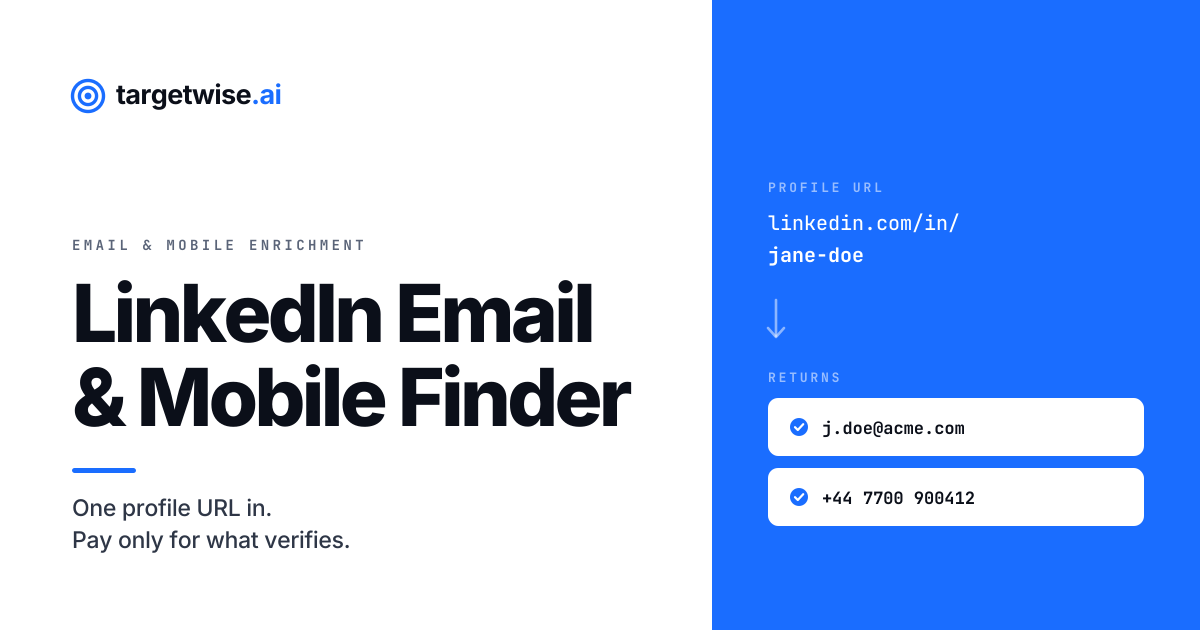
A LinkedIn email finder takes a public profile URL and returns a verified business email address, a mobile number, or both. The dependable ones never read the profile page. They treat the URL as an identifier, match it against licensed contact records, verify the result, and return only what passed.
For implementation, see the reverse email lookup API and its supported inputs.
Core is $49/month, with $0.15 per returned work email and $0.25 per returned business phone deducted from that included balance; Growth is $149/month, with $0.12 per returned work email and $0.20 per returned business phone deducted from that included balance; Scale is $399/month, with $0.09 per returned work email and $0.16 per returned business phone deducted from that included balance. Free includes 20 emails and 5 business phones. Unused balance resets at renewal. Subscriptions renew monthly until cancelled; unresolved requested fields consume no usage balance. See current pricing and subscription terms.
Every sales team hits the same wall. You have a list of people you want to reach, you know exactly who they are because you are looking at their profiles, and you have no way to contact them off the platform. So you go looking for a way to find an email from a LinkedIn profile, and discover a category of tools that all claim the same thing.
The tools that solve this share a name and almost nothing else. Some read the page, some match an identifier. Some check one database, some check twelve. Some bill you for asking, some bill you for finding. Those choices, in combination, decide your match rate, your bounce rate, and what you actually pay per contact you can use.
What a LinkedIn email finder actually does
Two completely different architectures are sold under this label.
The first reads the profile. A browser extension or a crawler loads the page, parses what is on it, then either lifts a contact detail the person published or guesses one from a company email pattern. Everything depends on reaching the page and understanding its markup.
The second never touches the page. The URL is used purely as an identifier, the way an account number identifies a customer without describing them. The finder normalises the URL, looks that identifier up in contact records licensed from data providers, retrieves the business email and mobile number already associated with it, verifies both, and returns them.
This decides two things that matter in production: whether the tool breaks when LinkedIn changes its front end, and whether the address you get back was verified or merely inferred. A guessed address in the firstname.lastname@company.com shape is a hypothesis. A matched and verified address is a fact with a timestamp on it.
TargetWise takes the second approach. Contact data is sourced from licensed third-party providers and public business signals, then validated and standardised before it is returned through the API. TargetWise is registered with the UK Information Commissioner's Office and provides a data processing agreement where one is required.
How a profile URL resolves to a person
Every email finder for LinkedIn starts from the same place. The public profile URL contains a vanity slug after /in/. Once you strip tracking parameters, locale prefixes and trailing slashes, that slug is a stable key for one individual.

Why a profile URL beats a name and company
Ask any enrichment API to find "John Smith at Acme" and you have handed it an ambiguity problem. There may be three John Smiths at Acme. The company may trade under a name that differs from its registered entity. The person may have left last quarter. The API has to disambiguate before it can match, and every disambiguation step is an opportunity to be confidently wrong.
A profile URL removes that whole class of failure. One slug, one human being. It is the strongest single identifier you can hand a contact enrichment API short of an email address you already have, which is why match quality on URL-based lookups behaves differently from name-based lookups. We go deeper on that in what match rate you should expect from a contact enrichment API.
Where resolution fails
- The slug changed. People edit their vanity URL. If they changed it after the underlying records were built, the key no longer matches.
- The person is not in any source. No licensed provider holds a record for them, which is common in smaller markets and for junior or non-commercial roles.
- No business email exists. Independent contractors, people between roles, and some public sector staff have no corporate address to find.
- The record exists but fails verification. The address was found and then rejected at the validation stage. Returning it anyway would hand you a bounce.
How to find someone's email on LinkedIn, step by step
The manual version of this takes a few minutes per person and does not scale. The programmatic version is six steps, and once it is wired up it runs without anyone watching.
- Copy the profile URL. Open the profile and take the address from the browser bar. It will look like
linkedin.com/in/jane-doe. This is the only input you need. - Strip the noise. Remove tracking parameters after the question mark, any locale prefix, and the trailing slash. What matters is the slug. If you are working from a list, normalise every row the same way before you submit anything.
- Decide which fields you want. Email only, mobile only, or both. This is a cost decision as much as a data one, so make it deliberately rather than defaulting to both.
- Submit the URL to an enrichment API. The API matches the slug against licensed records, runs the waterfall until a source returns something, and verifies the result before handing it back.
- Read the outcome, not just the value. Three things can come back: a verified result, a no-match, or a flagged uncertain result such as a catch-all domain. Treat those as three different states in your logic, because they need three different next actions.
- Route it. Verified records go into the sequence. No-match records go to a different channel or get dropped. Uncertain records go into a lower-volume send where a bounce costs you less.
If you only need to find an email from a LinkedIn link occasionally, steps one to four are a single request and you are done. The reason to build the rest is that a list of two thousand will contain several hundred that do not resolve cleanly, and deciding what happens to those in advance is what separates a working process from a spreadsheet full of blanks.
Why one data source is never enough
This is the part most buyers discover after signing, and it is the single biggest determinant of whether a LinkedIn email finder is useful to you.
No contact data provider holds everyone. Coverage clusters by geography, by company size, by seniority and by industry, because each provider builds its records from a particular mix of sources. A provider with excellent depth on North American software companies is frequently thin on European manufacturing. A provider strong on senior executives may hold very little on individual contributors. None of this is visible from a marketing page, and all of it shows up on your list.
The practical consequence: a single-source lookup caps your match rate at that one provider's coverage of your specific segment. If they hold 48% of your target list, you get 48%, and no amount of retrying changes it. The other 52% are not hard to find. They are simply not in the database you are querying.
What a waterfall does about it
Waterfall enrichment queries providers in sequence and stops at the first one that returns a verified record. Each additional source contributes only its incremental coverage, meaning the records the earlier sources missed. Returns diminish as you go deeper, but they never reach zero.

Read the solid blue segments and the shape is obvious. The first source recovers 480 records, the second adds 190, the third 95, the fourth 42. Every step is worth less than the one before it, and the curve never quite reaches the top of the list. Those extra 327 people were always reachable. They were simply held somewhere the first provider did not look.
The catch that makes most waterfalls uneconomic
Here is the problem, and it is a billing problem rather than a data problem.
Under a credit model you are charged for the lookup, not the result. A four-source waterfall on 1,000 records does not perform 1,000 lookups. Source 1 runs on all 1,000. Source 2 runs on the 520 that missed. Source 3 runs on 330. Source 4 runs on 235. That is 2,085 billable lookups to produce 807 usable contacts, and your effective cost per contact is now roughly two and a half times the rate you were quoted.
Which is why most credit-based tools quietly run shallow waterfalls. Depth is expensive when misses are billable, so the economically rational choice for the vendor is to stop early and hand you a lower match rate.
Pay-per-match inverts this. The meter runs on verified results, not attempts. The waterfall can go as deep as it needs to because the failed lookups along the way cost nothing. Broad coverage and low cost per usable contact stop being in tension, which is not true under any other billing model.
This is the structural reason the two features belong together. A waterfall without pay-per-match billing punishes you for the coverage you are buying. Pay-per-match without a waterfall gives you fair billing on a small database. The combination is the only one where the incentives point the same way for both sides. If you want the mechanics in more depth, our guide to waterfall enrichment covers sequencing and fallback logic.
What "verified" actually means
Verification is the most abused word in this category, because four very different things are all described with it.
| Level | What is checked | What it rules out |
|---|---|---|
| Pattern inference | Nothing. The address is constructed from a known company format | Nothing. This is a guess |
| Syntax check | The address is well-formed | Typos and malformed strings only |
| Domain and MX | The domain exists and accepts mail | Dead companies and parked domains |
| Mailbox-level | The specific mailbox exists at that domain | Departed staff, wrong format, invented addresses |
Only the last one tells you whether a message will land. A tool that infers j.smith@acme.com because two other people at Acme use that format, then confirms acme.com accepts mail, will happily report the address as verified. It has confirmed almost nothing.
The catch-all problem
Some domains are configured to accept mail to every possible address, valid or not. On those domains mailbox-level validation cannot return a definitive answer, because the server says yes to everything. An honest provider flags these as uncertain rather than counting them as verified, which slightly lowers the headline match rate and considerably improves what happens when you actually send. A provider that silently reports catch-all hits as valid is inflating a number you will pay for later in bounces.
This matters more than it sounds. Bounce rate feeds directly into sender reputation, and sender reputation governs whether your entire domain reaches the inbox. A cheap list that bounces heavily does not just waste the money you spent on it. It damages the deliverability of every campaign you send afterwards.
Email, mobile, or both
Email and mobile are independent fields drawn from different sources, verified in different ways, and priced separately. Treat them as separate decisions rather than a bundle.
| Choose | When | Cost consequence |
|---|---|---|
| Email only | Sequencing and marketing automation, where volume matters and unit cost has to stay low | Lowest per record |
| Mobile only | The record already has a working email and the gap is a number for the calling motion | Higher per record, lower match rate |
| Both | Multichannel outbound, or high-value accounts where reaching the person outweighs unit cost | Roughly doubles per-record spend |
The cost consequence is direct and frequently overlooked. Requesting both fields when your sequence only uses email roughly doubles what you spend per record for capability you never touch. On a 20,000-record run that is real money, and it is avoidable by specifying fields at request time.
TargetWise provides waterfall contact enrichment, company enrichment and reverse email lookup through REST, MCP and a workspace dashboard. Contact lookups use 15+ specialist sources and return available work emails and business phones. Returned phones are unclassified unless the response says otherwise; a returned email is not a deliverability guarantee. See the contact enrichment API.
On the phone side, a number is only as useful as the connect rate behind it, and that is largely a data freshness problem rather than a dialling problem. We covered the mechanics in B2B cold call connect rate in 2026.
Mobile numbers and direct dials
Phone is half of what a contact record is worth and it behaves nothing like email, so it deserves its own thinking rather than being treated as a checkbox next to the address.
Three kinds of number, only two of them useful
- Switchboard. The company main line. Almost always findable, almost never useful, because it puts a gatekeeper between you and the person.
- Direct dial. A desk extension that reaches the individual. Useful when the person is office-based, progressively less useful as hybrid work spreads and desks go unoccupied.
- Mobile. The personal handset. The highest-value number by a distance, because it reaches the person wherever they are, and the hardest to source for exactly that reason.
When a vendor quotes a phone match rate, ask which of these three they are counting. A rate that looks impressive is easy to produce if switchboard numbers are in the denominator.
Why phone match rates trail email
Any attempt at LinkedIn profile phone number extraction runs into a supply problem that email does not have. A work email address is semi-public by design, it appears in signatures and on websites, and it follows predictable company formats. A mobile number is none of those things. It is rarely published, it does not follow a pattern you can infer, and it belongs to the person rather than the employer, which means it survives a job change while the email dies.
The practical consequence is that on the same list, the number of records returning a verified phone will sit below the number returning a verified email. That gap is a property of the underlying data across the whole category, not a weakness of any one provider, and a vendor claiming parity between the two is worth a second look.
It also means the waterfall matters more on phone than on email. If a single provider covers roughly half of your target segment on email, its phone coverage of the same segment will usually be thinner still, so the incremental sources are doing proportionally more of the work.
A number is only worth its connect rate
Getting a phone number through LinkedIn enrichment is the start of the problem rather than the end of it. A number that was accurate eighteen months ago and has not been re-verified since will dial, ring, and reach nobody, and it will do that without ever registering as a failure the way a bounced email does. Bad phone data is quieter than bad email data, which is precisely why it goes unnoticed for longer.
This is why freshness matters more on the phone side, and why connect rate rather than match rate is the number worth tracking. We covered how that plays out in practice in B2B cold call connect rate in 2026.
Match rates: what to expect
Vendors advertise a single global match rate. That figure is close to meaningless on its own, because match rate varies enormously by country, seniority, company size and requested field. A provider with strong North American technology coverage may be thin on European manufacturing, and one headline number hides both.
Three things move the number on URL-based lookups specifically:
- Slug freshness. The more recently the underlying records were built and refreshed, the higher the proportion of vanity URLs that still resolve.
- Field requested. Business emails are more widely held than mobile numbers, in essentially every market.
- Source breadth. The single largest lever, for the reasons set out above. Depth of waterfall beats quality of any individual source.
The right way to evaluate this is not to read a marketing page. Take 200 records from your own target segment, run them through, and measure what comes back. Any provider unwilling to let you do that before you commit is telling you something useful.
Four approaches, compared honestly
| Approach | How it works | Scales to | Match rate ceiling |
|---|---|---|---|
| Manual lookup | Check the contact section, then search the company site | Tens per day | Low and slow |
| Chrome extension | Reveals a detail in the browser as a rep views a profile | Hundreds per month | Usually one source |
| Single-source API | One database, queried programmatically | Millions | Capped by that database |
| Waterfall API | Multiple licensed sources in sequence, first verified hit wins | Millions | Highest available |
Worth being direct about one of these. Search for a Chrome extension LinkedIn email finder and you will find dozens, many with a free tier. TargetWise does not ship a Chrome extension. If your workflow is a rep browsing profiles one at a time and wanting a reveal button in the browser, an extension is genuinely the better fit and you should buy one. TargetWise is built for the other job: enriching records in volume, inside a CRM sync, a routing rule, a signup form, or a batch process.
Picking the wrong one of those two is the most common mistake in this category, and it has nothing to do with data quality.
Resolve a profile URL against a full waterfall
TargetWise provides waterfall contact enrichment, company enrichment and reverse email lookup through REST, MCP and a workspace dashboard. Contact lookups use 15+ specialist sources and return available work emails and business phones. Returned phones are unclassified unless the response says otherwise; a returned email is not a deliverability guarantee. See the contact enrichment API.
Why an API rather than a platform
Most contact data is sold as a seat licence. You buy access for named users, those users log into an interface, run searches, and export lists. The pricing is attached to the person, not to the data.
That model has a specific failure: it puts a human being in the middle of every enrichment. A lead fills in your form at 2am and sits unenriched until a rep opens a browser. A CRM record goes stale and nobody notices, because noticing is somebody's job rather than a scheduled process. Routing rules that could fire on company size cannot, because the field is empty until someone fetches it.
An API moves enrichment to the point of need:
- Inbound forms. Enrich on submit, so routing and scoring have real data before the lead reaches a queue.
- CRM hygiene. Re-verify records on a schedule and repair the ones that decayed, rather than discovering the decay mid-campaign.
- List enrichment. Submit records in batch, get back what verified.
- Agent workflows. TargetWise exposes an MCP server, so contacts can be enriched in natural language from inside Claude, ChatGPT, or Cursor with no integration code. We walk through the setup in how to enrich contacts inside Claude, ChatGPT, and Cursor.
None of those need a seat, because none of them involve a person. If you are wiring this into a broader pipeline, our guide to enriching B2B contacts with a waterfall API covers sequencing and fallback in detail.
What it costs, and what it actually costs
For this workflow, use the current TargetWise plan rates and usage calculator. Paid plans renew monthly; unused balance resets at renewal.
| Plan | Monthly included balance | Work email | Business phone |
|---|---|---|---|
| Core | $49/month | $0.15 | $0.25 |
| Growth | $149/month | $0.12 | $0.20 |
| Scale | $399/month | $0.09 | $0.16 |
For this workflow, use the current TargetWise plan rates and usage calculator. Paid plans renew monthly; unused balance resets at renewal.
The rate you are quoted and the rate you effectively pay are the same number only under pay-per-match. Everywhere else, something sits between them.

Same underlying rate. Roughly 54% more under credit billing, because you pay for the 21,000 lookups that found nothing. More than six times as much under a flat seat licence, because you are paying for access rather than results, and the bill does not move when your match rate does.
The gap widens as match rate falls, which is the uncomfortable part. Under credit and seat models, the worse your data outcomes, the more each usable contact costs you. Under pay-per-match, a bad month costs you less.
Three ways to get the data
Single lookups for real-time forms and routing, batch requests for enriching a list, or the MCP server to work inside Claude, ChatGPT, and Cursor. Same waterfall, same verification, no contract.
Frequently asked questions
Can you find someone's email address from a LinkedIn profile?
Yes in most cases, provided the person has a business email address held in commercially licensed contact records. The profile URL is used as an identifier to look that person up, and the address is verified before it is returned rather than extracted from the profile page. Where no record exists in any source, or where verification fails, no address is returned.
How do you find an email address from a LinkedIn URL?
TargetWise provides waterfall contact enrichment, company enrichment and reverse email lookup through REST, MCP and a workspace dashboard. Contact lookups use 15+ specialist sources and return available work emails and business phones. Returned phones are unclassified unless the response says otherwise; a returned email is not a deliverability guarantee. See the contact enrichment API.
What is waterfall enrichment and why does it matter for LinkedIn lookups?
Waterfall enrichment queries several data providers in sequence and stops at the first one returning a verified record. It matters because no single provider holds everyone, so a one-source lookup caps your match rate at that provider's coverage of your particular segment. Adding sources recovers records the earlier ones missed, with diminishing but real returns. The constraint is billing: under a credit model every attempt is charged, so a deep waterfall becomes expensive. Pay-per-match removes that penalty because misses are free.
Can you get a mobile number from a LinkedIn profile?
TargetWise provides waterfall contact enrichment, company enrichment and reverse email lookup through REST, MCP and a workspace dashboard. Contact lookups use 15+ specialist sources and return available work emails and business phones. Returned phones are unclassified unless the response says otherwise; a returned email is not a deliverability guarantee. See the contact enrichment API.
What does it mean for an email address to be verified?
It depends on the provider, which is the problem. Pattern inference constructs an address from a company's known format and confirms nothing. A syntax check catches typos. A domain and MX check confirms the domain accepts mail. Only mailbox-level validation confirms that the specific address exists. Catch-all domains accept mail to every address, so they cannot be definitively validated and should be flagged as uncertain rather than counted as verified.
Does TargetWise offer a LinkedIn email finder Chrome extension?
TargetWise provides waterfall contact enrichment, company enrichment and reverse email lookup through REST, MCP and a workspace dashboard. Contact lookups use 15+ specialist sources and return available work emails and business phones. Returned phones are unclassified unless the response says otherwise; a returned email is not a deliverability guarantee. See the contact enrichment API.
What happens if no email is found?
For this workflow, use the current TargetWise plan rates and usage calculator. Paid plans renew monthly; unused balance resets at renewal.
Why does a LinkedIn profile URL work better than a name and company?
Because it is unambiguous. A name-and-company pair can match several people, and companies frequently trade under names that differ from their registered entity, so the API has to guess before it can match. A profile URL maps to exactly one individual, which removes that class of failure and generally produces a higher and more reliable match rate.
Can you find personal email addresses from LinkedIn?
Not through TargetWise. Business contact details only are returned, and addresses on consumer domains such as Gmail, Yahoo, or Outlook.com are out of scope by design. This keeps the output aligned with legitimate interest as a lawful basis for B2B outreach. If your use case depends on personal inboxes, this is not the right tool for it.
How accurate are emails found from LinkedIn profiles?
Accuracy depends on whether the address was verified or inferred, and on how many sources were checked. A pattern-guessed address is a hypothesis and bounces at a meaningful rate, which damages sender reputation and the deliverability of everything you send afterwards. The only reliable way to assess a provider is to run two hundred records from your own target segment and measure what comes back, rather than relying on a published global figure.